

Documentation Index
Fetch the complete documentation index at: https://docs.get-nexus.app/llms.txt
Use this file to discover all available pages before exploring further.
Create a Droplet
Create a Droplet with the appropriate resources. For this guide,
we will use a recommended configuration with Docker pre-installed.
Read our Resourcing guide for more details.
- Give your Droplet a descriptive name like
Nexus-prod - Select a region close to your users
- Select the
Dockerimage from the Marketplace tab - Choose a Droplet size with at least 4 vCPUs and 16GB RAM
- Configure storage following the Resourcing Guide
- Add your SSH key for secure access

Point domain to the instance
If you don’t have a domain, buy one from a DNS provider like GoDaddy
or just skip HTTPS for now.
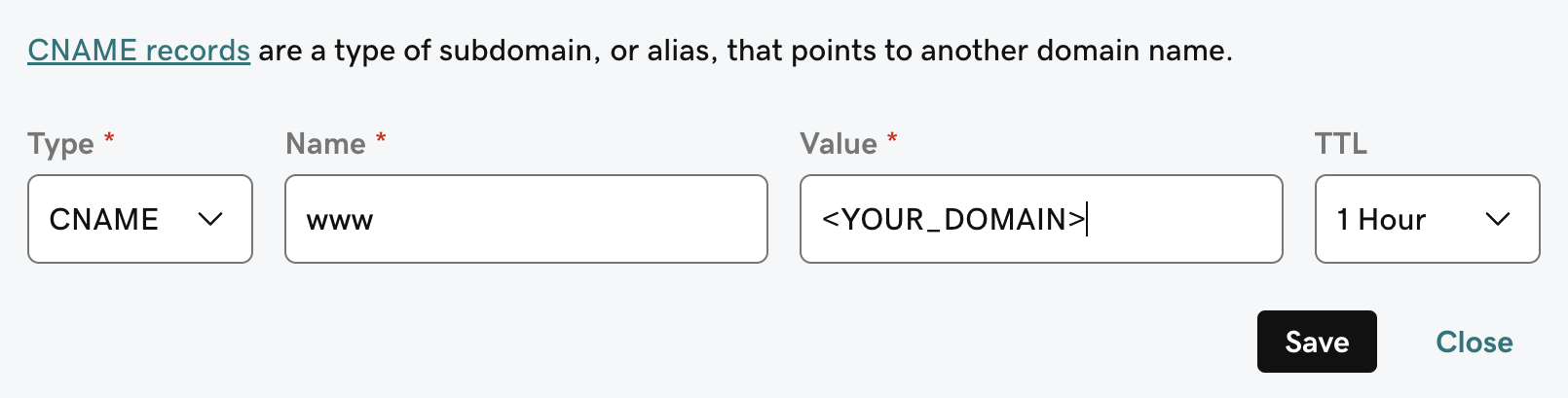
A and CNAME record to our DNS provider.The A record should be the subdomain that you would like to use for the Nexus instance like prod.The CNAME record should be the same name with the www. in front resulting in www.prod pointing to the full
domain like prod.Nexus.app.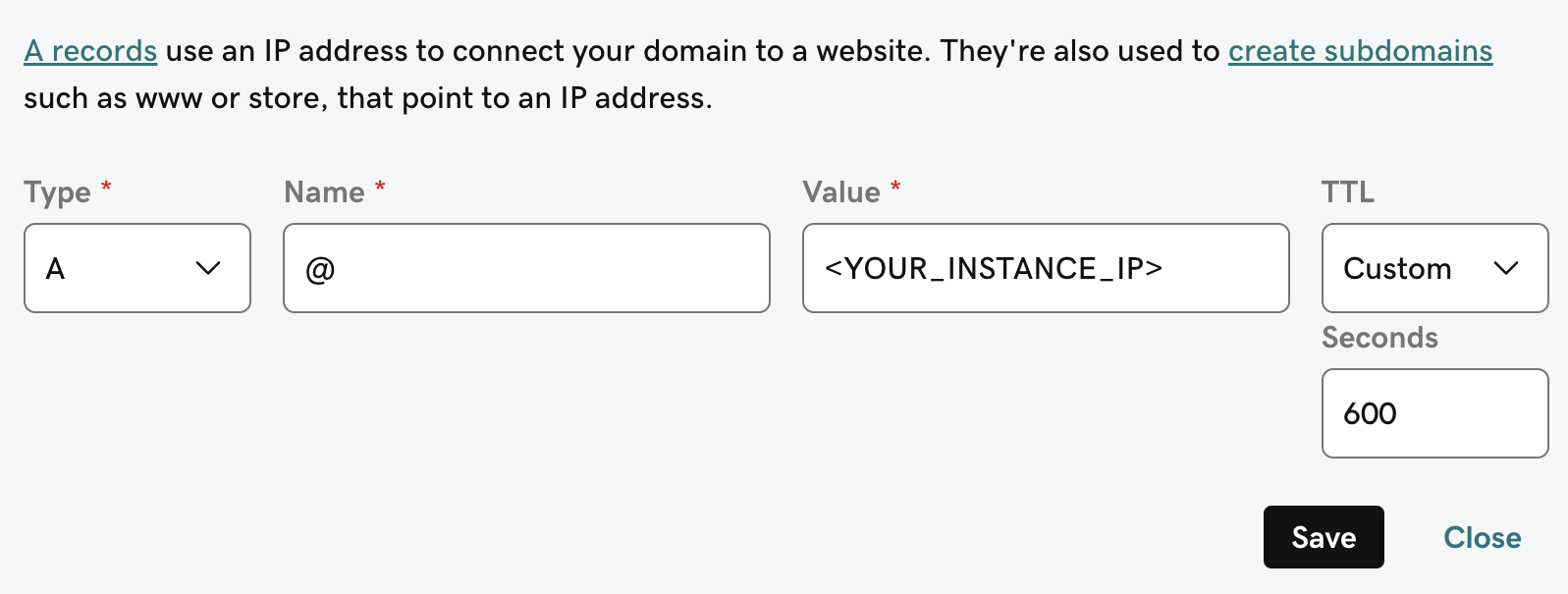
Next Steps
Configure Authentication
Set up authentication for your Nexus deployment with OAuth, OIDC, or SAML.
More Nexus Configuration Options
Learn about all available configuration options for your Nexus deployment.