

Model Context Protocol (MCP) enables AI Agents to invoke tools and services in a controlled manner. Nexus supports MCP both as a client (connecting to external MCP servers) and as a server (exposing Nexus capabilities to LLMs like Claude).Documentation Index
Fetch the complete documentation index at: https://docs.get-nexus.app/llms.txt
Use this file to discover all available pages before exploring further.
Nexus as MCP Client
Connect your Agents to external MCP servers to retrieve data or perform operations.Navigate to the Actions Dashboard
Click your user profile icon and select Admin Panel and select the Actions tab in the sidebar.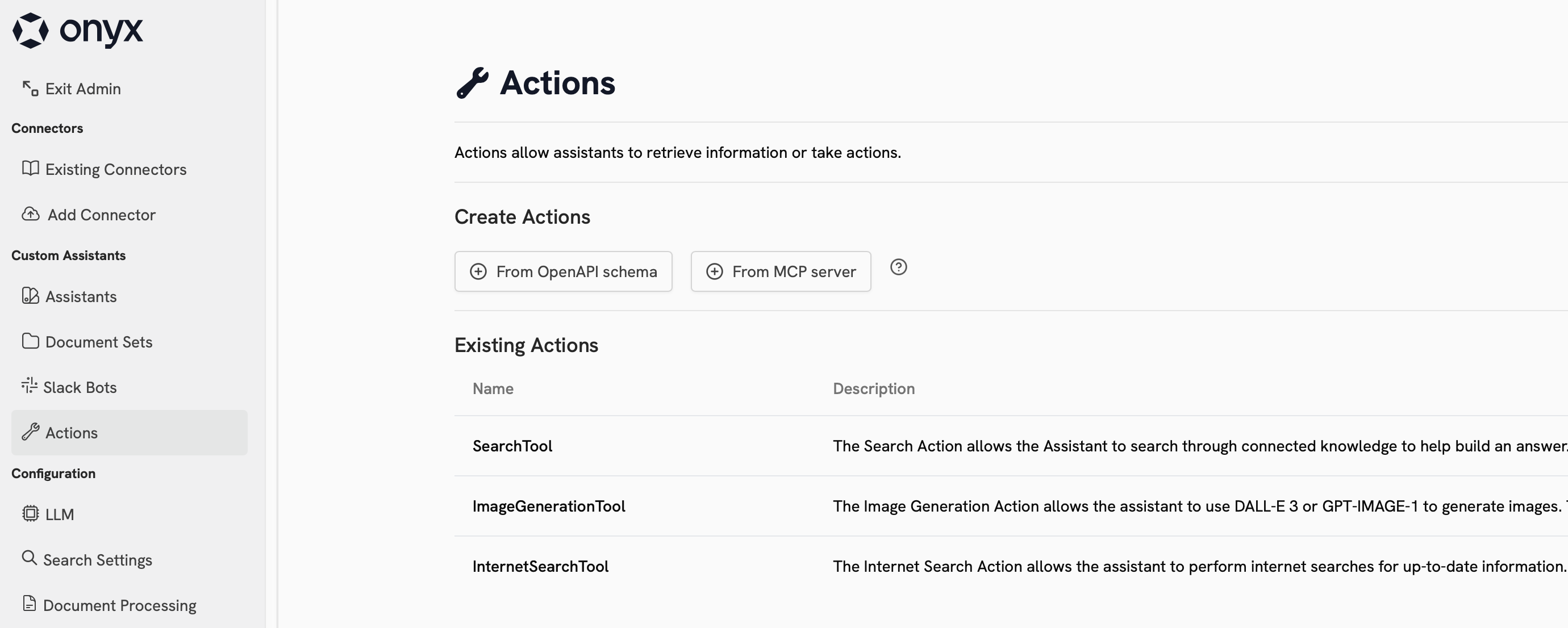
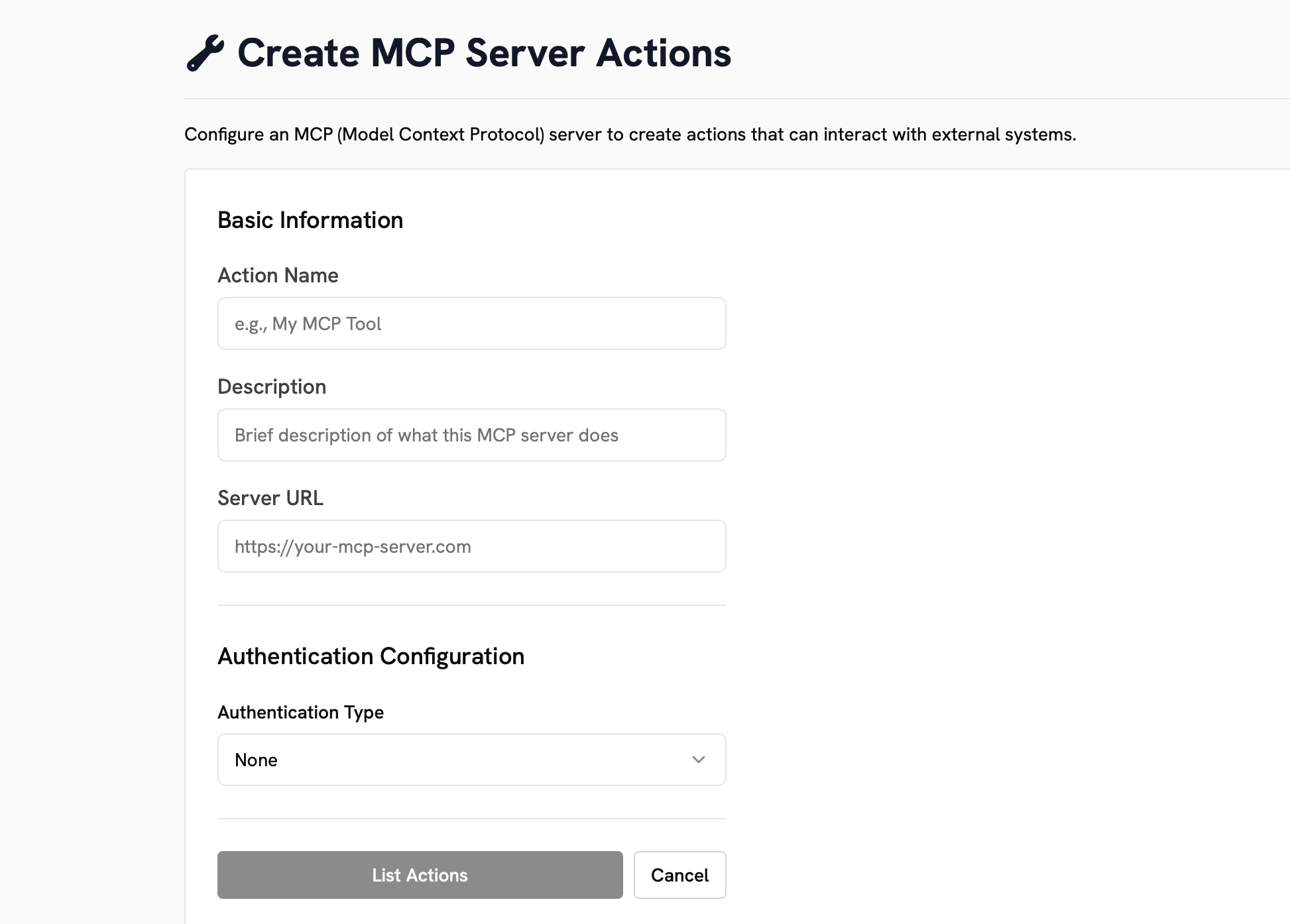
Nexus as MCP Server
The Nexus MCP Server allows LLMs (like Claude Desktop) to connect to your Nexus instance and access its knowledge base and search capabilities.Capabilities
The MCP server provides these tools:| Tool | Description |
|---|---|
search_indexed_documents | Search your private knowledge base indexed in Nexus |
search_web | Search the public internet for current events |
open_urls | Retrieve complete text content from specific URLs |
Configuration
- Claude Desktop
- Other Clients
Add to your Claude Desktop configuration (Get your token from Admin Panel → API Keys or create a Personal Access Token.
~/Library/Application Support/Claude/claude_desktop_config.json on
macOS):The MCP server runs on port 8090 and validates tokens against the main Nexus API server.
All access controls configured in Nexus apply to MCP requests.